Validating Data with Regular Expressions in Ruby
I happened to be sent a link to the OWASP paper on Rails Security recently and started reading it. Partway in there’s a section on Regular Expressions, which opens with the following line:
A common pitfall in Ruby’s regular expressions is to match the string’s beginning and end by
^and$, instead of\Aand\z.
Now I’ve never used \A and \z in my regular expressions to validate data, I’ve only ever used ^ and $ assuming they matched the start and end of the string. This becomes an issue with validating data in rails, because %0A (\n URL encoded) is decoded by rails before passing the string to your model to validate.
Testing our expectations
Lets say we want to validate the string as a username for our app. A username is 5 characters long and consists only of lowercase letters.
regex = /^[a-z]{5}$/
First we make sure it matches the data we want it to:
"caius".validate(regex) # => true
Excellent, that validated. Now we’ll try a shorter string, which we expect to fail.
"cai".validate(regex) # => false
Once more, it behaves how we expected it to. The shorter string was rejected as we wanted it to be. Now, what happens if we test a string with a newline character in it? We’ll make sure the data before the \n is valid, and then add some more data after the newline.
"caius\nfoo".validate(regex) # => true
Uh oh! That validated and would’ve been saved as a username?!
Lets have a look at exactly what’s happening there, the $ matches the \n character, so the regex is only matching the first 5 characters of the string, and just ignores anything after the \n. As it turns out, this is exactly what we’ve asked the regex to match, but we didn’t want this behaviour.
Now you might be thinking, “So what? someone can have a username with a newline in it.” For starters this will probably display weirdly anywhere you use their username, but more importantly it opens your application to an injection attack. Suppose they took advantage of this by setting their username to include some javascript on the page which stole your login cookie and sent it to them. You view their account in the admin section and oh no! They can login as your admin account and do what they want.
Simple example of this is just having it output an alert dialog. (This is actually the code I’ll use to test an application as its not malicious, but blindingly obvious if the javascript is executed or not.)
"caius\n<script>alert('hello')</script>".validate(regex) # => true
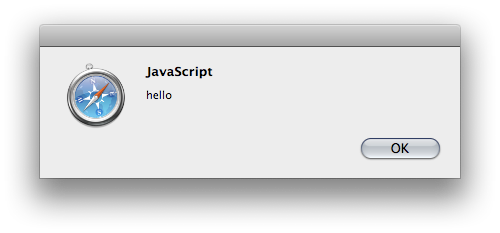
Ok, so that was the result we were expecting this time, although it’s still not the outcome we wanted. Anytime their username is viewed (providing you aren’t escaping the data to HTML entities) you’ll see the following:
The Solution
Having realised from our testing above that ^$ matches the beginning/end of a line in ruby not the beginning and end of a string, I hear you cry, “How do we make sure we’re matching the entire string?!”
The answer is pretty simple. Just swap out ^$ for \A\z. Lets go ahead and try this with the same data as we have above, but with the modified regular expression.
new_regex = /\A[a-z]{5}\z/
"caius".validate(new_regex) # => true
That’s a good start, the valid string still matches.
"cai".validate(new_regex) # => false
Looks like it’s going well, invalid string is invalid.
"caius\nfoo".validate(new_regex) # => false
Oh Excellent! It’s validating this one correctly now.
And just for consistency, lets test it with a more likely attack string.
"caius\n<script>alert('hello')</script>".validate(new_regex) # => false
Fantastic! We’ve fixed the security hole in our validation of the user’s username.
If you want to actually run the code above you’ll need the following at the start of the ruby script to patch the validate method into String.
class String
  def validate regex
    !self[regex].nil?
  end
end
Update: I had \Z in the new_regex rather than the \z it should’ve been. Thanks Ciarán.